This guide shows you how to split your whole order by amount of guests or by products on your POS.
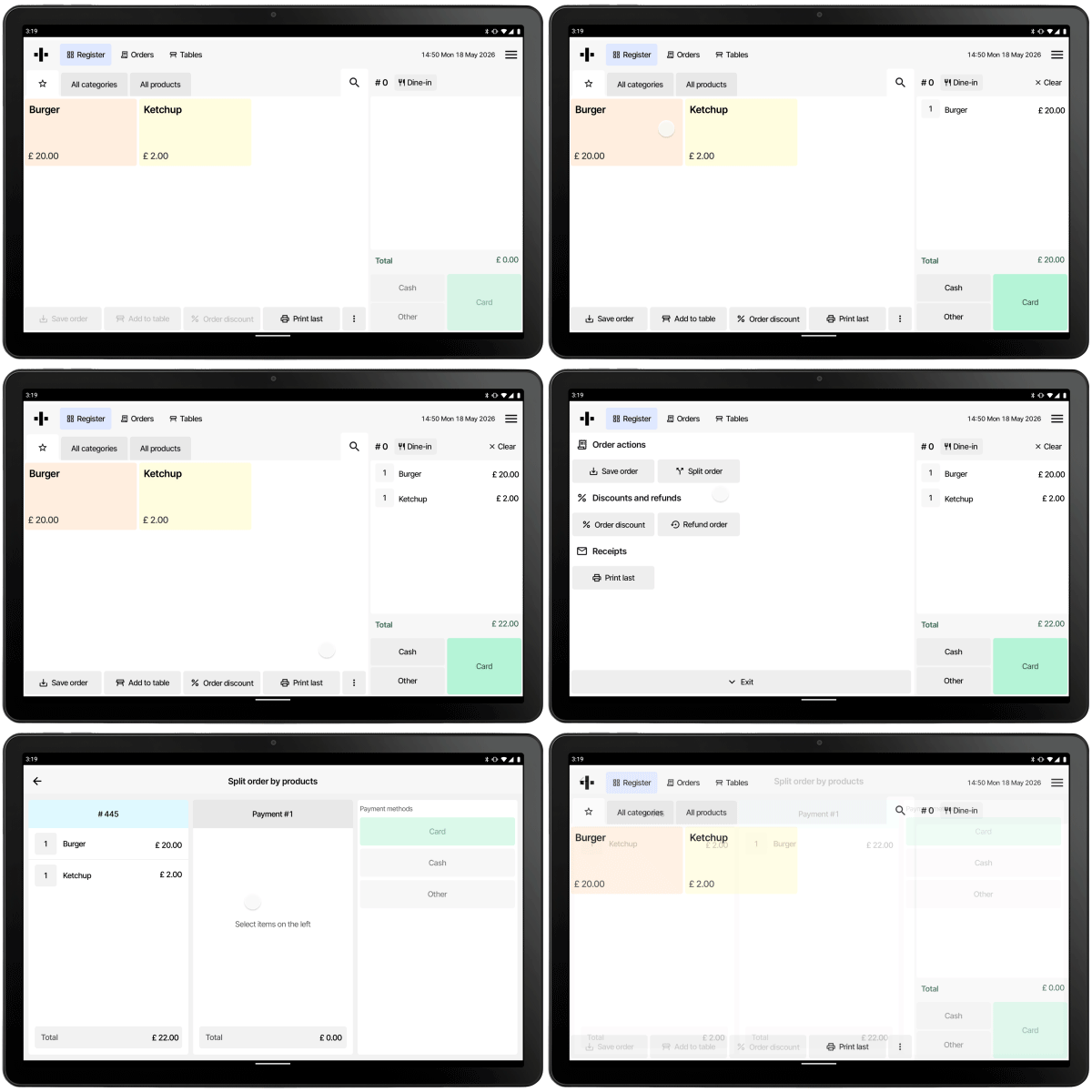
After you’ve put products in the cart or you are ready to process payment for a table or a saved order, you can split it by guest with the following flow:
- Choose Other as the payment type.
- Select Split order from bottom right.
- Select if you want to split the order by guests or by products.
By products: All the products in the basket will be visible on the left. You can now divide the order by product by moving products to the middle screen and accepting payment through either cash, card or other.
By amount of guests: Choose between how many guests you want to divide the payment with (either predetermined or custom). After selecting the amount of customers, choose the way of payment and finish the transaction. After this you repeat step two and divide with the remaining amount of customers still paying.
Was this article helpful?
That’s Great!
Thank you for your feedback
Sorry! We couldn't be helpful
Thank you for your feedback
Feedback sent
We appreciate your effort and will try to fix the article